




Resume Keyword Scanner
AI keyword scanner for your resume
Scan your resume for relevant keywords based on the job you’re applying for. Automatically add the right phrases to navigate ATS, impress recruiters, and land you more interviews.

Upload or drop your resume to get started
Upload your resume to get started
Score my resume
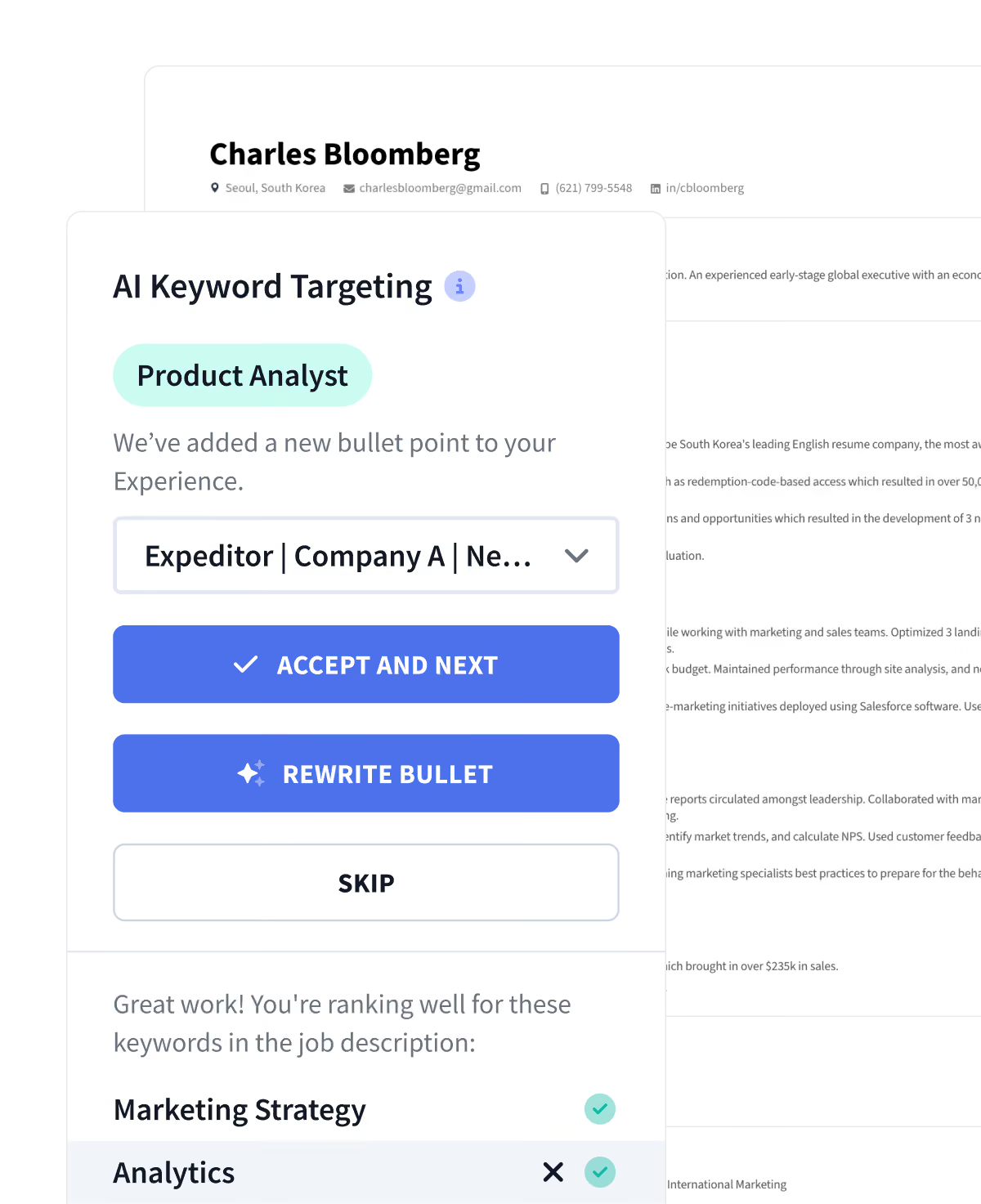
The Right Keywords Equal More Job Offers
Use strategic keywords for every single resume
Contextual keyword matching
Paste any job description and see what keywords your resume is missing. Add keywords strategically with a single click.
Industry-specific language
Score bonus points for using the exact phrases and wording employers across top companies want to see.
Natural integration into content
The smart Rezi AI make sure your resume reads naturally. This isn’t keyword stuffing, it’s professional rephrasing.
Step-by-Step Walkthrough
Resume keyword scanner: how it works
Step 1
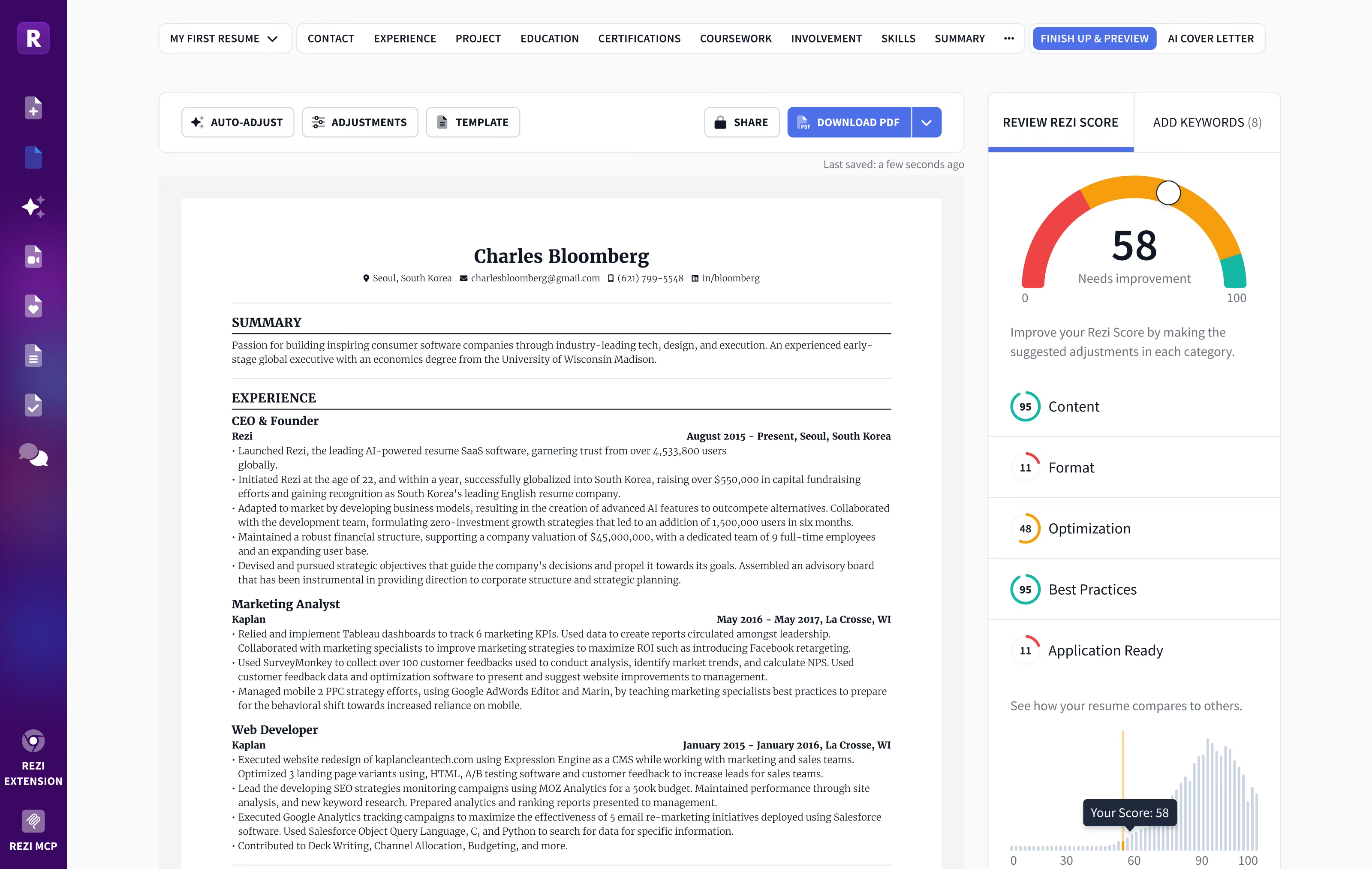
Upload your resume
If you have an existing resume, upload it to Rezi (as a bonus, we'll perfectly auto-format it). If you don't have one, with our builder you'll create a new resume in under 10 minutes. Alternatively, use the LinkedIn profile import feature to get a resume based on your LinkedIn with a single click.
Step 2
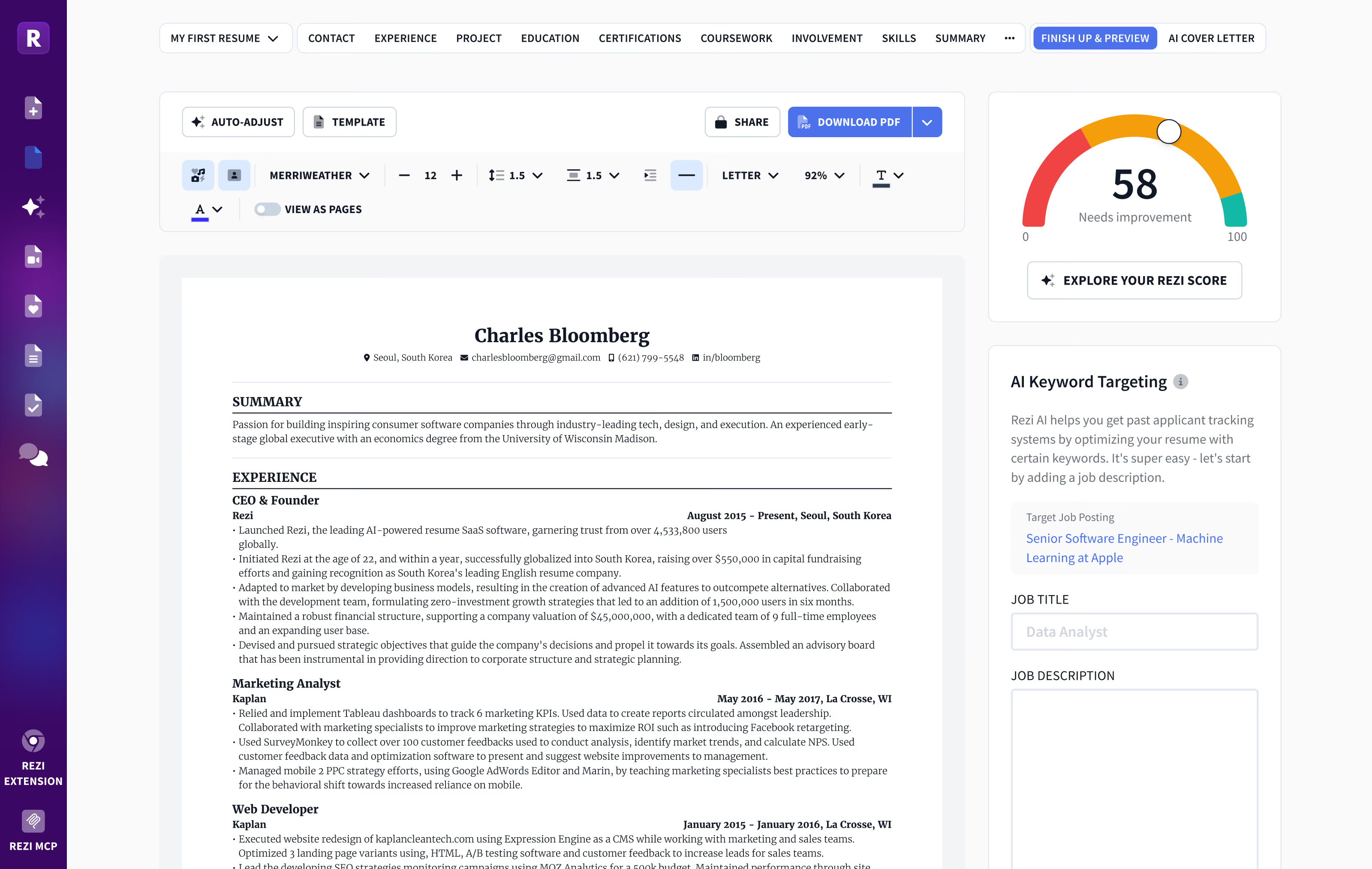
Add your job description
You can either choose a job from the Rezi AI Job Search database or just paste the job ad from wherever you found it. The Keyword Scanner will analyze how well your resume matches the requirements of this particular job.
Step 3
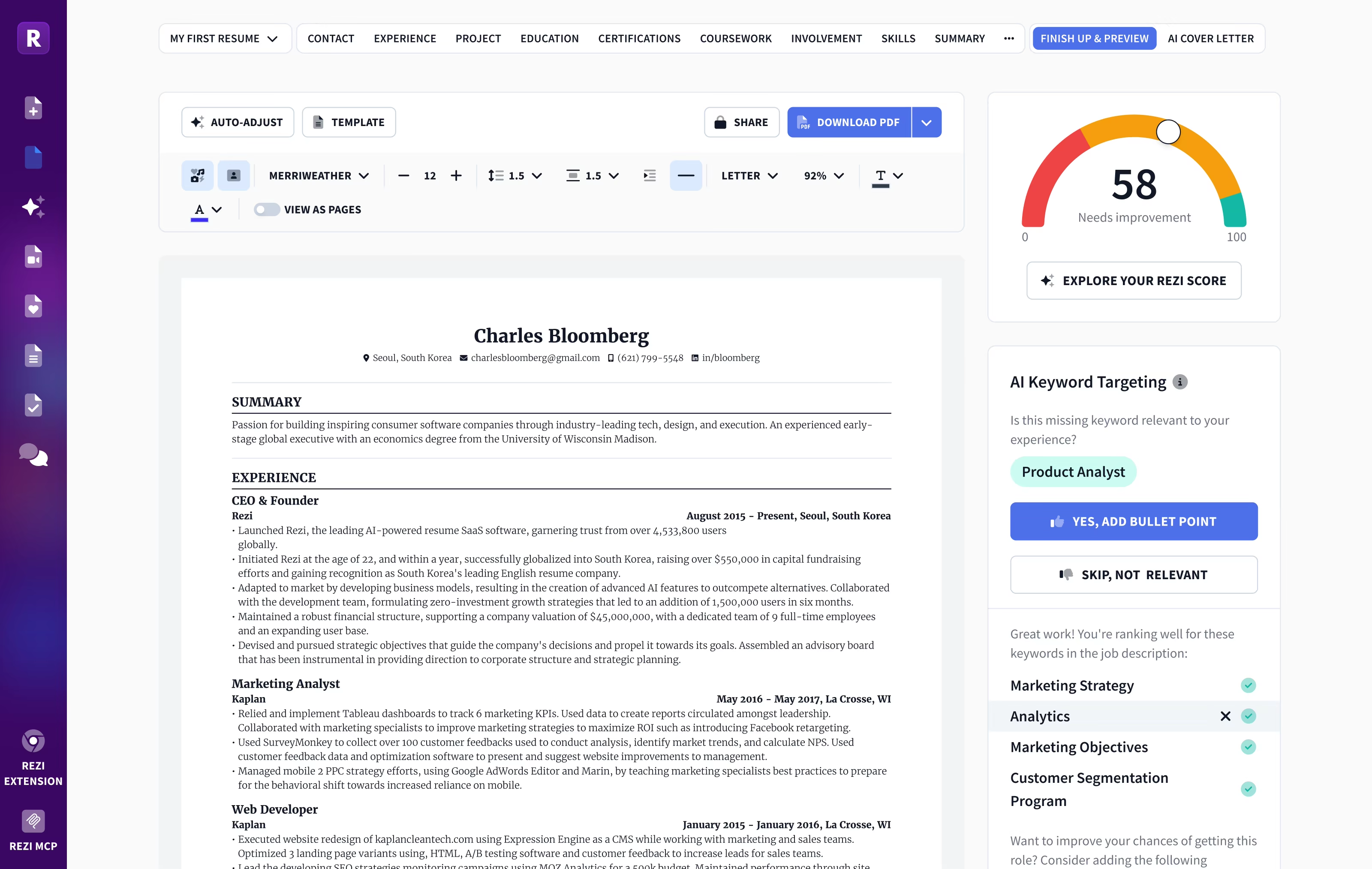
Pick keywords to add to the resume
We'll highlight the most impactful terms from the job description. Rezi uses this data to suggest missing keywords and can even generate new bullet points using AI to help you naturally incorporate those terms into your resume—ensuring a stronger match with the role you're targeting.
Newest Resumes
Latest arrivals
Freshly designed layouts that combine modern design trends with the latest ATS compatibility standards. Be the first to apply with these new formats.
Find inspiration with great resume examples


Wall of Love
Over 4 million users trust Rezi

“Resume Building felt like pulling teeth – until I found Rezi.”
Davis Allen
Software Developer

“I was blown away by Rezi. It streamlined everything...”
Celine Watko

“I needed a resume tool as smart as my work.”
Yosra Naceur
Data Scientist
“A great tool that is very helpful. I found the Rezi system easy to use and very helpful as I was working on getting my resume in shape for job applications.”

Dakota Rubin
United States
Written via

“This is actually one of the first reviews I’ve ever written for a business, and that alone says a lot. I highly recommend Rezi to anyone who’s job searching, it makes the entire process so much easier.”

Yazan Alkhatib
United States
Written via
“Reduced my time per application from 1-2 hours down to 15 minutes.”
Kixxx
Experience with Rezi
“I love how simple and convenient it is to use and been coming back to update it every time I need a fresh resume.”

Zara Wazir
U.A.E.
Written via
Frequently Asked Questions
Your questions, answered.
An AI resume keyword scanner is a tool that analyzes a job posting and your resume, identifies the key terms and skills the employer is looking for, and shows you which of those keywords are missing. By suggesting relevant keywords to add, it helps ensure your resume is tailored to the job and passes Applicant Tracking Systems (ATS). Including the right keywords makes your resume more visible to recruiters, since ATS software typically auto-rejects resumes that don’t match the job description.
Simply upload your current resume (or paste it) and paste the job description for the position you’re targeting. The tool will quickly compare the two and give you instant feedback. In a few seconds, you’ll receive a detailed analysis that highlights which relevant keywords you already have and which important ones are missing. It will break down the suggestions (often as “High Priority” keywords vs. other keywords) so you can easily add them to your resume for that specific job.
Focus on concrete, job-specific terms from the job description. These often include the exact job title and required hard skills (like specific software, technical abilities, tools or certifications). For example, if a posting asks for “Project Manager” or skills like “Python” or “CPA,” those should appear on your resume. You should include the job title near the top of your resume (Jobscan data shows candidates who do this are over ten times more likely to get an interview). Use the exact wording from the posting for software names or qualifications. Avoid vague buzzwords (e.g. “hardworking” or “team player”), as ATS filters ignore those.
Keywords drive ATS filters: most companies use ATS to screen resumes, so if your resume lacks the right keywords, it may never be seen by a human recruiter. In fact, studies show about 88% of qualified candidates are filtered out by ATS if they don’t precisely match the job description. One report found 99.7% of Fortune500 recruiters use keyword filters in their ATS. Having an ATS‑friendly resume with the right keywords ensures your resume doesn’t get lost in the system. Tailoring keywords to the job therefore dramatically improves your chances of landing an interview.
Yes.
The tool works for any industry or job function. Although it’s popular with tech, marketing, and customer-service applicants, it’s designed to handle a wide range of fields. The AI identifies the key components that matter in your specific role, whether you’re in engineering, finance, healthcare or any other sector. In short, any jobseeker can benefit from optimizing keywords for their particular position.
Not at all. The scanner is very user-friendly. You don’t need any technical expertise. Simply provide your resume and a job description, the AI does the hard work. It will analyze your documents and give you clear, actionable feedback on which keywords to add. No coding or special resume-writing knowledge is required.
Very quickly. The AI analysis is almost instant. You’ll immediately see a report of missing keywords and suggestions, saving you from hours of manual searching.
Yes. You can run as many scans as you need. It’s especially useful to tailor your resume for each job application. For example, you might upload different versions of your resume or try different job descriptions. Resume scanning tools generally allow multiple uploads — you can test each resume version or job listing to see which keywords to emphasize. Using the scanner repeatedly (for each job you apply to) will help ensure every resume is as targeted as possible.
Absolutely. By adding the exact keywords that ATS and recruiters look for, you greatly improve the chance that your resume will be seen and shortlisted. Users report that aligning their resume to the job description leads to many more callbacks. For example, including a job’s exact title in your resume can make you over 10 times more likely to get an interview. Resume scanners aim to make your resume “look like a match” to the employer — tools like this have helped jobseekers land more interviews and offers.
Yes. Resumes are scanned securely on the server, not shared publicly, and are kept private to you.
No — it doesn’t blindly “keyword-stuff.” The AI is designed to integrate keywords in a natural, professional way. In fact, advice from ATS experts is to avoid obvious stuffing and focus on real skills and accomplishments. The keyword scanner suggests relevant terms and often provides context so you can weave them into your resume naturally. This way your resume remains easy to read for humans while still satisfying ATS filters.

